
How to Modernize a Legacy System Without Freezing the Business
May 13, 2026
Legacy modernization does not have to mean stopping operations, rewriting everything, or accepting months of delivery risk. This article explains how to modernize around live business workflows, protect critical operations, and choose the right first slice before changing the whole system.
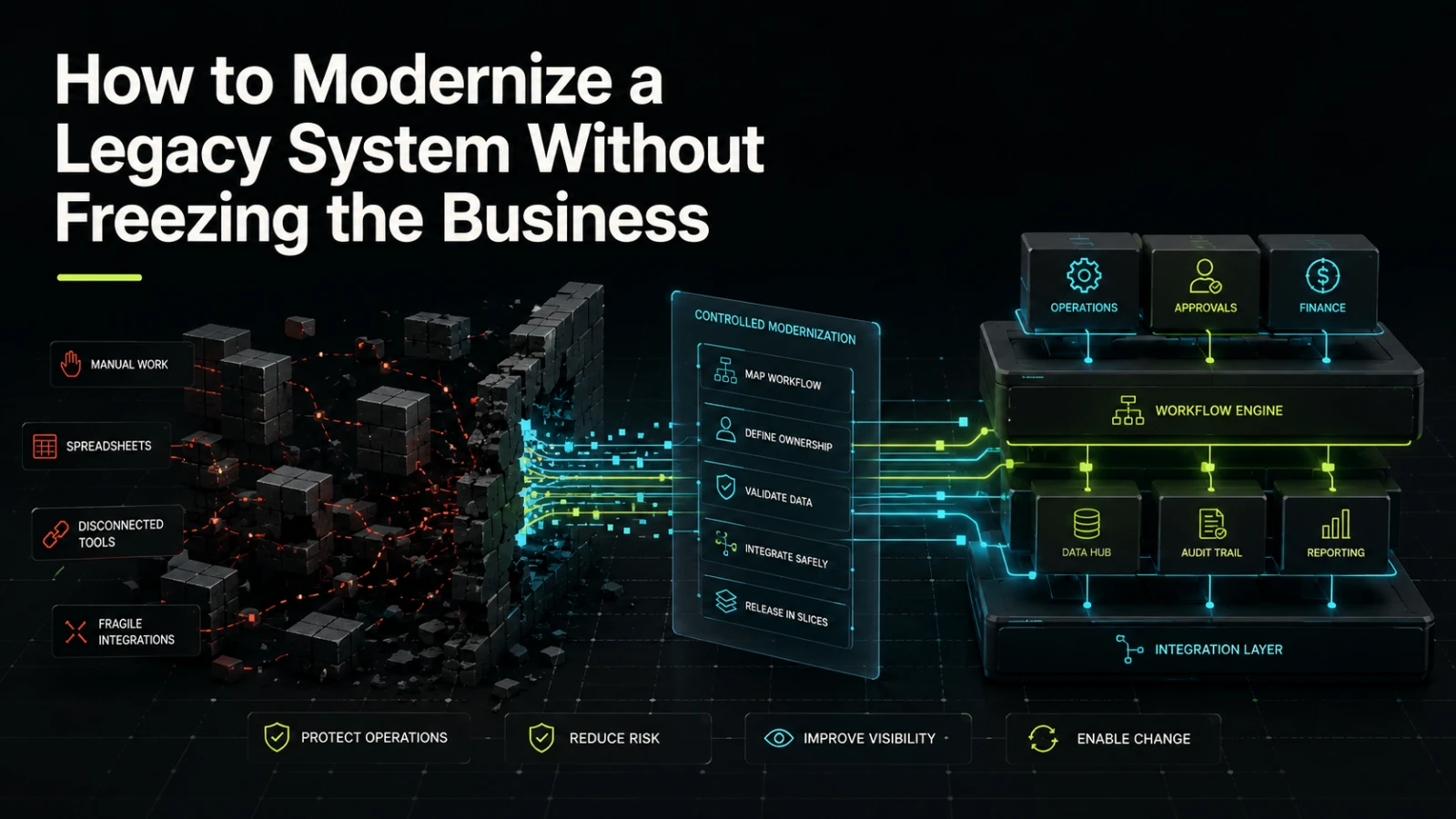
Modernizing a legacy system is rarely just a technical project. It affects how orders move, how approvals happen, how finance checks records, how support teams resolve issues, and how managers trust the data they see.
The biggest mistake is treating modernization as a single replacement event. A full rebuild may sound clean, but the business still needs to operate while the work happens. The safer path is usually progressive modernization: understand the workflows, protect the critical parts, isolate risk, and replace or improve the system in controlled slices.
Legacy systems are often business systems in disguise
A legacy system may look like an old application, outdated database, slow admin panel, or patched integration. In practice, it often contains years of operational decisions.
Some of those decisions are documented. Many are not. They live in:
manual workarounds
spreadsheet exports
exception handling by experienced staff
approval rules no one fully remembers
scheduled reports
fragile integrations
hidden dependencies between teams
That is why a rewrite based only on screens and database tables is risky. The software may be old, but the business logic inside it may still be essential.
A modernization project should start by asking: what business process does this system actually protect?
What teams usually get wrong
Many modernization efforts become expensive because the team starts with the wrong assumption. They see old technology and conclude that the main problem is the codebase. Sometimes it is. But often, the deeper problem is unclear workflow ownership.
Common mistakes include:
replacing features before mapping operational dependencies
rebuilding screens without validating how people use them
moving data without defining ownership and quality rules
automating exceptions before understanding why they happen
treating integrations as simple data transfers
planning one large launch instead of several controlled releases
The result is a new system that looks better, but still carries confusion from the old one. In some cases, it creates a second source of truth, which is worse than the original problem.
A legacy system should not be modernized feature by feature. It should be modernized workflow by workflow.
Freeze risk is not only downtime
When people hear “business freeze,” they often think about system downtime. That matters, but it is only one type of freeze.
A business can also freeze when:
teams cannot change process rules during the project
new customer requirements are blocked by the rebuild
staff need to maintain both old and new tools manually
data becomes harder to trust during migration
leadership cannot see which system is the source of truth
technical teams spend all capacity on replacement work
Modernization should reduce operational drag, not create a long period where every improvement must wait for the new platform.
Rebuild, improve, or wrap the existing system?
Not every legacy system needs the same treatment. A stable but awkward system may need a better workflow layer. A fragile system with data problems may need careful extraction. A system that blocks core operations may eventually need replacement, but not always in one move.
Approach | Best fit | Main benefit | Main trade-off |
|---|---|---|---|
Improve the existing system | The codebase is maintainable enough and the workflow is mostly correct | Lower disruption and faster targeted fixes | Old architecture may still limit future changes |
Add a workflow layer | The legacy system stores useful data but the user experience is slow or fragmented | Better visibility and fewer manual handoffs | Requires careful integration and ownership rules |
Replace one module at a time | Clear business domains can be separated, such as approvals, reporting, billing, or inventory | Lower launch risk and easier validation | Needs strong boundary design |
Full rebuild | The current system is unsafe, unmaintainable, or blocks essential business change | Clean long-term direction | Higher coordination, migration, and adoption risk |
Keep the system but automate around it | The legacy system must remain for now, but repeated manual work can be reduced | Practical short-term relief | Automation can become fragile if treated as permanent architecture |
The right choice depends on workflow complexity, data quality, integration needs, business risk, and how much change the organization can absorb.
Start with the business-critical flow
A useful modernization scope starts with a flow, not a feature list.
For example, instead of “replace the admin panel,” define the process:
A customer request arrives.
Operations checks the request.
Finance validates payment or credit status.
A manager approves an exception.
The system updates status.
The customer receives a response.
Reporting reflects the final state.
This framing exposes what matters: state, ownership, timing, permissions, audit trail, and exception handling.
Once the workflow is visible, the team can decide what should change first. Maybe the old database can stay temporarily, but approval tracking needs to move into a dependable internal tool. Maybe the user interface is acceptable, but reporting needs a new data model. Maybe the biggest risk is not the system itself, but the manual re-entry between three tools.
Define the first safe slice
The first modernization slice should be useful, bounded, and measurable through operational behavior. It should not be the hardest possible part of the system unless the business has no alternative.
A strong first slice often has these qualities:
it supports a real workflow, not a demo-only feature
it has a clear owner in the business
it touches a limited number of integrations
it can run beside the existing system for a period
it improves visibility or reduces repeated manual work
it creates a foundation for the next slice
Weak first slices usually look attractive but create poor learning. A polished dashboard may impress stakeholders, but if the underlying data is still inconsistent, the project has not reduced much risk. A new interface may look cleaner, but if staff still need to copy information into the old system, the workflow has not really improved.
Protect the source of truth
Modernization becomes dangerous when two systems can change the same business record without clear rules.
Before building, define:
which system owns each record
which system can update each field
how conflicts are detected
how failed syncs are retried
who can correct bad data
what audit trail is required
how historical data will be accessed
This is especially important for customer records, financial status, inventory, approvals, contracts, and operational state. These are not just database rows. They are business commitments.
A dependable modernization plan makes state easier to reason about in production. Teams should know where a record came from, what changed, who changed it, and what should happen next.
Use parallel operation carefully
Running old and new systems in parallel can reduce launch risk, but it can also increase manual effort if poorly designed.
Parallel operation works best when it has a clear purpose:
validate data migration
compare outputs between systems
test new workflow behavior with limited users
allow rollback for a defined period
build confidence before switching ownership
It works poorly when both systems stay active indefinitely and people are expected to keep them aligned by hand.
A practical rule: parallel operation should be a transition pattern, not a permanent operating model.
Do not automate confusion
Automation is useful when the workflow is understood. It is risky when the workflow is unclear.
If staff regularly override rules, create side spreadsheets, or ask for approvals outside the system, those behaviors should be investigated before automation. They may reveal missing business logic, unclear permissions, poor data quality, or process exceptions that the current system cannot support.
Modernization is a chance to decide:
what should be automated
what should remain manual
what should require approval
what should be visible in reporting
what should trigger an alert
what should be logged for audit
AI-assisted tooling can help during this process, for example by summarizing documentation, comparing requirements, generating test cases, or reviewing repetitive workflows. But AI does not remove the need for business ownership. Someone still has to decide what the system is allowed to do, what risk is acceptable, and how exceptions should be handled.
Design for change after launch
The launch is not the end of modernization. It is the point where the system starts meeting real operational pressure.
A dependable system should make future changes easier, not harder. That means paying attention to:
clear domain boundaries
readable workflow state
role-based permissions
audit logs where needed
integration monitoring
maintainable data models
simple admin controls
documentation for business-critical rules
These choices may not be as visible as a new interface, but they affect how safely the business can adapt later.
For B2B systems and internal tools, maintainability is commercial. If every rule change requires risky development work, the system becomes another bottleneck. If the workflow is structured clearly, the business can respond faster without creating hidden operational debt.
When to involve a software partner
A software partner is useful when the problem is not only “build this screen,” but “help us make this workflow dependable.”
That usually includes:
translating business operations into a practical software scope
identifying which parts of the legacy system should stay temporarily
reducing risk around data migration and integrations
designing a first useful version
separating short-term automation from long-term architecture
helping technical and non-technical stakeholders make clear trade-offs
If this is the kind of system you are trying to make dependable, Aptenova can help assess the workflow, risk, and first practical build.
Conclusion
Legacy modernization should not force the business to stop improving while the technical work happens. The safer approach is to modernize around real workflows, protect the current operation, and replace risk in controlled parts.
Start by understanding what the system does for the business. Identify the source of truth. Choose a useful first slice. Keep integration risk visible. Avoid automating unclear processes. Then build forward in a way that makes each release easier to trust.
A legacy system is not modernized when the old code disappears. It is modernized when the business can operate with clearer ownership, lower manual effort, better visibility, and a system that is easier to reason about when things change.
Put it into practice
Working through a similar problem?
Tell us about your product and the change you need. We can discuss a focused feature, a new integration, an AI workflow or a first release.